
About This App
- Name Document Reader & PDF Editor
- Category Tools
- Price 0
- Safety 100% Safe
- Developer SolidDevsKit
- Version 1.9.0
Description
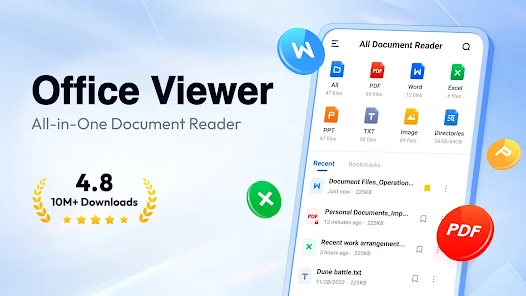
It's easy to use and compatible with all office formats. Just open it, and your documents are neatly organized in folders for quick search — no more digging around to find that one contract, invoice, or handout.
It's also a powerful PDF toolkit — edit and sign PDFs without a printer, convert scans into PDFs in seconds, and create polished documents from ready-made templates. View, convert, edit, sign, and manage everything in one place!
Why choose Document Reader?
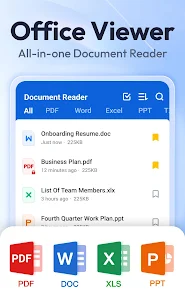
👏 Support all formats - PDF, DOC, DOCX, XLS, XLSX, PPT, TXT, PNG, JPG, RTF, etc.
👏 All document viewer/office viewer
👏 Read all documents anywhere, anytime with just one tap
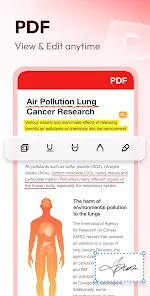
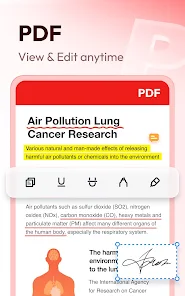
👏 Edit, annotate, and sign PDFs with ease
👏 Simple and clear file lists, easy to search and manage files
👏 Bookmark documents for quick access
👏 Color inversion for comfortable reading day and night
👏 No internet required, read documents offline
Download this simple, fast, lightweight all document reader now!
Document Reader can work as:
📕 PDF Reader/PDF Viewer
- Zoom in/zoom out pages while reading
- Jump to any page directly
- Switch between landscape and portrait mode freely
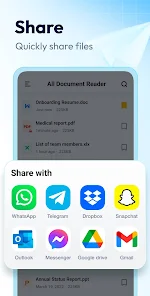
- Easily print and share PDFs
- Search text within files
✍️ PDF Editor
- Edit text directly in your PDFs — change content, size, font, and color
- Customize text with bold, italic, underline, strikethrough, and alignment
- Add text & insert images to your PDFs
- Annotate with highlights, doodles, underlines, and strikethroughs
- Add signature directly to any PDF
🔄 PDF Converter
- Image/Scan to PDF: convert images or scans into PDFs
- Word to PDF: convert DOC/DOCX files to PDF for instant sharing
- PDF to Word: convert PDFs into editable Word documents
- PPT to PDF: keep slide layouts intact when converting presentations
🧩 Document Templates
- Resume templates: professional CVs in minutes
- Letter & fax templates: ready-made formats for any correspondence
- Simple templates: clean designs for everyday needs
- Poster templates: eye-catching designs for events and announcements
- Freely edit text and fonts, or replace images with your own photos
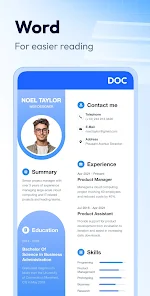
📘 Word Reader
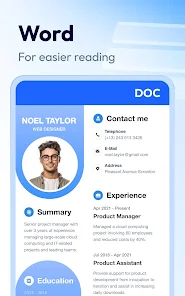
- Handy document viewer for all DOC, DOCX, and DOCS files
- Quickly locate any file with the built-in search
- Sort all documents by file path, size, name, last edit date, etc.
- Simple and elegant interface
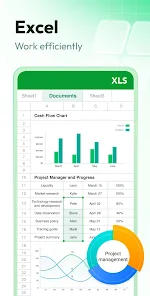
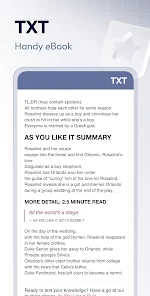
📈 Excel/Text Viewer
- Quickly open XLS, XLSX, TXT files and find the data you need
- A simple and straightforward way to read spreadsheets on your device
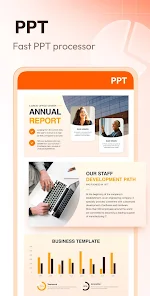
🔍 PPT Viewer
- Viewing PPT, PPTX, PPS, PPSX files has never been easier
- Fast and stable performance, HD quality
➡️ More features on the way
✔️ AI summary
✔️ Text translation
✔️ OCR for PDFs
✔️ Edit Excel
✔️ Fill PDF forms
✔️ Shared folders
✔️ More formats supported: RAR, ZIP, MOBI, HTML, etc.
…
Try Document Reader now and you can read, edit, sign, convert and manage documents in all formats on the go!
Permission Needed:
1. To read and edit files on your device, users with Android 11+ need to grant the MANAGE_EXTERNAL_STORAGE permission.
2. To convert images into PDFs or replace images in templates, users with Android 13+ need to grant the READ_MEDIA_IMAGES permission for image access.
These permissions are used only for the stated purposes and never for any other use.
Thank you for choosing Document Reader. 💗 We welcome all feedback and suggestions. If you have any questions, don't hesitate to contact us at allreaderappfeedback@gmail.com.
Frequently asked questions
If you're an Android user and don't download the app from the official Google Play Store, you may find the installation process more complicated than usual.
We fully understand your concern about safety. We agree that one person wouldn't be too careful in the cyber world. Meanwhile, we are happy to tell you that one of our priorities is to provide our users with safe app files that they can use without any worries.
We guarantee that all the app files we provide originate from official and reliable sources. We promise that they do not contain any malware that will harm your hardware or the safety of your privacy.
We are happy to inform you that the answer is an absolute YES! All the apps on our website are 100% free to download. Besides, you do not have to create an account. Just click on the download button, and it's done.
Recently we received a lot of emails from our users saying they couldn't log in for different reasons, such as "forgot the user name or password" or "had a new phone." We are willing to help you out. Please read the notes below to see what we can do.
To answer this question, please first let us know which account you're referring to.
If you're referring to your account of some app, like your Facebook account or your Youtube account, unfortunately we would not be able to help in this case. We would suggest you turn to the customer service of this application.
This question is essentially quite similar to the prior one. It's a pity that we are unable to help you cancel the subscription to a third-party application directly, while we would suggest you contact its customer service for further information.
Sorry that we are unable to help you get a refund from a third-party application directly. If you wish to get a refund from a third-party app, we would suggest you contact its customer service. We would be happy to provide you the way to contact them.
If you want a refund from us, we should apologize for your confusion. Our service is 100% free, and any payment information is not required.
If you run into any site that asks you to provide your payment information, be careful. Remember never to reveal your payment information to any unauthorized third parties, no matter how tempting their offer may seem.
Sorry that we cannot answer this question directly, as this section only aims to answer some general questions. You may find how to use a certain app by checking our review page.